Step 1
Connect your audio
Link your church's sound system or a microphone to Glossa. A line from the soundboard, a USB mic, a virtual audio cable or an RTMP stream from OBS all work, with no special hardware.
Let everyone in your church understand the message in their own language. Attendees simply scan a QR code to listen to live AI translation or read captions on their phones. 100+ languages, no app to download, no headsets to hand out.
No credit card. Then $5 an hour per language, less on a plan. See pricing
Trusted by 1,700+ churches and ministries worldwide
 SBC
 Hillsong
 PCA
 CCA
 UMC

Select your language and press play.
Select your language
3 simple steps connect your congregation across languages. Most churches are set up well before their next service.
Link your church's sound system or a microphone to Glossa. A line from the soundboard, a USB mic, a virtual audio cable or an RTMP stream from OBS all work, with no special hardware.
Press Start Streaming as the service begins. You see the live transcript on your dashboard while Glossa translates every sentence.
Church attendees scan the code, select their language and hear or read the translation on their phones. No app and no account.
Bringing the best translation technology to churches around the world, built around the way services actually run.
Let your congregation hear your message in their own language, in a voice that sounds like yours — preserving your warmth, tone and personality. Try it free for 7 days. Included in Advanced and Premium plans.
Invite your pastors, tech team and volunteers. Everyone gets their own login and can run services, while you stay in control of billing and API keys. No limits. No extra cost.
Scripture references, book names and theological terms are handled the way your church means them, not translated literally into something no one recognises.
Add your pastors' names, ministries, places and abbreviations, plus short instructions on tone, so they are recognised going in and never mangled coming out.
Put live captions on the screens you already run. A browser source or embed page drops translated text into ProPresenter, OBS, vMix, Proclaim and more.
Send your service audio to Glossa over standard RTMP from OBS, vMix or a hardware encoder. The session starts when your encoder goes live and stops when it ends.
No receivers to buy, no headsets to hand out and collect afterwards. Everyone listens on the phone already in their pocket, so another language costs you nothing in equipment.
A REST API and signed webhooks for sessions, listeners and every translated sentence, on every plan. Feed your church tools, your website or anything your team has built.
See how long you streamed, how many people listened in each language and what it cost. Download the transcript in every language, or get a clean full text and summary.

Hear from church and ministry leaders who use Glossa to make their services accessible across languages.
This platform has been a blessing for us. We have people from all over, and it was extremely helpful. Last week we had a gathering with the whole team and we needed translations in English, Portuguese and Spanish, and Glossa was a blessing for everyone. We were looking for a low-budget alternative and it worked amazing, and the quality was great.
 GuadelupeAlpha Latin America
I help with translation for our stake conferences in Alabama: six hours of meetings for around 50 Spanish-only speakers. This weekend we were very short on translators and had no idea how to solve it, then I came across Glossa. The members said it was the best translation they had heard for church meetings outside of our General Conference broadcast from Salt Lake. Absolute game changer!
 DamonLatter-day Saint stake conference, Alabama
We have more than ten different nationalities and language groups coming to our service every Sunday, and Glossa has helped us reach all of them. We could never have afforded a live translator for each one, plus all the extra equipment that goes with them. Instead everything runs nicely through one simple audio stream, and the translation and voice quality are amazing.
 DerekICF Limassol
Connecting Glossa completely changed our evangelism. We can now go out into every area of town and advertise that our services are translated into more than 100 languages, which opens a door with people we simply could not speak to before. It has brought far more international people through our doors.
 MarkThe Salvation Army
Pay only when someone is speaking. Start with 4 free hours, no credit card. All prices in USD.
Great for smaller churches or occasional use.
or $82.50/month billed yearly ($990), save $198
or $249/month billed yearly ($2,990), save $598
or $416/month billed yearly ($4,990), save $998
Billing is per language, per minute of speech. 1 hour of preaching into 3 languages is 3 translation hours. Running a conference or a network of churches? Ask about custom pricing
From Spanish and Mandarin to Haitian Creole and Amharic. You choose which languages your listeners can pick, so there are never surprise charges.
 English (US)
 Spanish (Latin America)
 Chinese (Mandarin)
 Chinese (Cantonese)*
 Filipino
 Vietnamese
 Arabic
 French
 Korean
 Russian
 German
 Haitian Creole*
 Hindi
 Portuguese (Portugal)
 Italian
 Polish
 Japanese
 Persian (Farsi)UrduGujarati
 GreekPunjabi
 BengaliTeluguTamil
 Armenian
 Thai
 Ukrainian
 Khmer
 Hebrew
 Portuguese (Brazil)
 Romanian
 Dutch
 Turkish
 Indonesian
 Swahili
 Amharic
 Nepali
 Burmese
 Somali
No language matches that search. Ask us about it.
* Listeners can receive translations in these languages, but speakers cannot use them as their original language.
Your congregation can listen or read along on their own phones, while live captions appear on your existing church screens. Customize the language, colors, and text size.

Good morning, church! We're so glad you're here!
¡Buenos días, iglesia! ¡Nos alegra mucho que estén aquí!
Print it once, use it every week. Attendees simply scan, choose their language, and press play.
Free QR slidesDisplay live translations on your existing church screens. Customize the language, colors, and text size.
Embed Glossa directly on your church website so online viewers can follow the service in their own language.
Website widgetsGlossa helps before and after Sunday too: a recap of every sermon, translation in your online meetings, dubbed sermon videos and a simple way to send any microphone to people's phones.
Every Monday morning Glossa turns Sunday's sermon into a recap: a title, the big idea, key points, a quote in your pastor's own words and the Scripture that was read. It arrives with images ready to post, a study guide for small groups and a kids page.
Paste a meeting link and a Glossa bot joins as a quiet participant. It posts a listening link in the chat and shows a QR code on its video, so everyone on the call can listen or read in their own language. You don't need to be the host.
Upload a sermon video or paste a YouTube or Vimeo link. Glossa detects the language and gives you back a dubbed video in every language you choose, ready to post for the people who watch online.
Send any microphone straight to people's phones, with a live transcript and no translation. Use it for an overflow room, the lobby, an outdoor service or an interpreter you already have.
The last 30 days across every church that uses Glossa: 19 October to 17 November 2026.
Can't find your answer? The Help center has setup guides for every audio setup, or talk to us.
No app is required. Listeners open the link or scan the QR code in any modern browser. If they prefer an app, Glossa is also on iOS and Android.
No. Your entire congregation can connect at the same time, and we don't charge for listeners. Whether 1 or 500 people are listening, you pay the same amount per language.
Glossa captures the audio from your service, transcribes each sentence and translates it into every language your listeners chose. Listeners hear or read the translation on their phones a moment after the speaker finishes the sentence.
A smartphone, tablet or computer with an internet connection, on Wi-Fi or mobile data. Bring your own headphones or earbuds to listen.
No. Every listener can hear a natural AI voice in their language through earbuds, read live captions on their phone, or both at once. The sound switch is one tap away in the listener's settings, and the captions stay on screen either way.
You only need a stable internet connection and a way to connect your audio system or microphone to Glossa. Most churches get started with their existing audio setup: a line from the soundboard, a USB microphone or an RTMP stream from OBS.
Glossa supports translation into 100+ languages at the same time, so you can reach every language group in a single service. You decide which languages are available to your listeners.
Yes. The account owner invites people from the Team page in Settings, and each person signs in with their own login. Team members can create and run services and edit languages, custom instructions and the dictionary, while billing, usage and API keys stay with the owner. Team members are free, with no limit.
Glossa is built for spoken content: sermons, announcements, prayers and readings. Sung lyrics are very hard for any speech AI to follow, so songs are not translated reliably. You are never billed for songs, music or silence.
Yes. Add the Glossa caption page as a web element in ProPresenter, a browser source in OBS or vMix, or a web page item in Proclaim. Watch the video tutorial or read the captions guide. Developers can also receive every sentence by webhook.
Yes. Paste a Zoom, Google Meet, Microsoft Teams or Webex link and a Glossa bot joins the call. It shares a listening link and a QR code, so everyone can listen or read in their own language.
Yes. The QR code belongs to the service, not to a single session, so it stays the same as long as you keep the service. Print it once and use it every week.
Create an account and you get 4 free hours, no credit card needed. Connect your audio, press Start Streaming and share your QR code. If you would like help, book a short call and we will set it up with you.
Break down language barriers wherever people gather, from Sunday services to global leadership meetings.
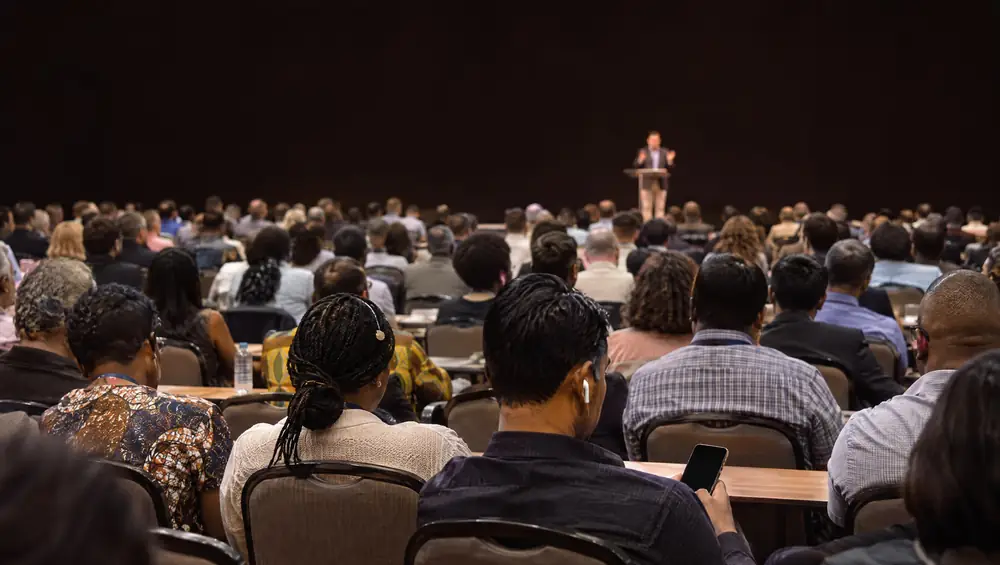

Enhance your church services with reliable, real-time translation, fostering inclusivity and deeper connection within your diverse global congregation.
Maximize your conference impact by offering seamless multilingual communication, expanding your reach and engagement across an international audience.
Ensure crystal-clear communication in crucial board meetings with accurate translation, for better understanding and decisions among global leaders.
Amplify your non-profit's message and reach a wider audience during events with effective translation, enhancing accessibility and global impact.
Engage diverse audiences in member and user group meetings with accurate language translation, promoting inclusivity and collaboration.
Make your services accessible to people who are hard of hearing with real-time transcription on their phones and amplified audio, so everyone can take part.
Guides for church teams: showing captions on your screens, choosing a translation system and welcoming families in their own language.
Real people answer, usually within one business day. Pick whatever is easiest for you.
Monday to Friday, 9:00 to 18:00 Cyprus time.
Start with 4 free hours. No credit card, no equipment, and no app for your listeners.
Choose which cookies Glossa may use. You can change this at any time from the link in the footer.
Your browser sent a Global Privacy Control signal, so marketing cookies stay off.
Needed for sign-in, security, payments, your language and display settings, and remembering this choice. They cannot be turned off.
Glossa sign-in
Keeps you signed in
glossa_auth* — 400 daysglossa_auth-code-verifier — Until you close the browserglossa_has_account — 1 yearGlossa cookie choices
Remembers your cookie choices
glossa_consent — 12 monthsGlossa settings
Remembers your language and display settings
i18nextLng — Until you clear itisDarkMode, fontSize, showTimestamps — Until you clear itglossa_theme, glossa_scale — Until you clear itselectedLanguage* — Until you clear itglossa_app_theme, glossa_app_rail_collapsed — Until you clear itglossa_app_notifications_dismissed, glossa_recap_failures_dismissed — Until you clear itlandingPreference, serviceMode:*, service_showOriginals — Until you clear itisAudioMuted, personalModeMuted, glossaTourState — Until you clear itzoom-panel-* — Until you clear itGlossa referrals
Credits the church that referred you
glossa_referral_code — 30 daysStripe
Processes payments and prevents card fraud, only on checkout
__stripe_mid — 1 year__stripe_sid — 30 minutesCloudflare Turnstile
Checks that forms are sent by a person, not a bot
— — No cookiesSentry
Reports app errors so we can fix them
— — No cookiestawk.to
Support chat, loaded only when you open it
twk_uuid_* — 6 monthsTawkConnectionTime — Until you close the browserCal.com (meet.glossa.live)
Demo booking, loaded only when you open it
— — No cookiesYouTube
Plays videos, loaded only when you press play
VISITOR_INFO1_LIVE, YSC — 6 monthsyt-remote-* — Until you clear itHelp us understand which pages and features are used so we can improve Glossa. No ads.
Google Analytics
Counts visits and where they come from
_ga — 2 years_ga_* — 2 yearsPostHog
Shows how features are used
ph_*_posthog — 1 yearMeasure which ads bring people to Glossa and let Google and Meta show our ads to people who visited.
Google Ads
Measures sign-ups that came from our Google ads
_gcl_au — 90 daysMeta Pixel
Measures and targets our Meta (Facebook, Instagram) ads
_fbp — 90 days_fbc — 90 daysGlossa campaign attribution
Remembers which campaign brought you to Glossa
glossa_utm_* — 30 daysglossa_click_gclid, glossa_click_fbclid — 90 days


